Private Label Rights
How To Add A PayPal Button To A Forum Post
Learn how to add a PayPal button to your forum post, enabling donations or product sales. This guide covers button creation, code insertion, and important considerations for successful implementation.
Size 38.58 MB
Published 08/06/2013
Included 1 folder
$3.90
About this product
How To Add A PayPal Button To A Forum Post
PayPal is a popular and trusted platform for online money transfers. It offers website owners and forum administrators the ability to integrate various buttons and links, enabling users to make donations or purchase products seamlessly.
Creating a PayPal button is a straightforward process. However, adding it to your forum post requires access to the specific area where you want the button to appear. In some cases, basic coding knowledge may be necessary.
Here are some key points to consider:
- Determine the purpose of your PayPal button (donations, product sales, etc.)
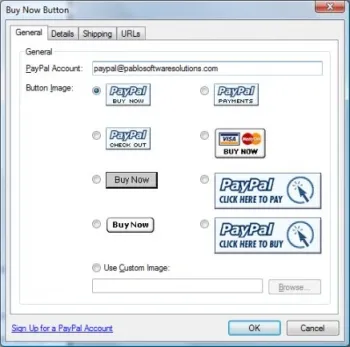
- Generate the button code through your PayPal account
- Locate the appropriate section in your forum's code to insert the button
- Test the button to ensure it functions correctly
- Monitor transactions and manage your PayPal account regularly
Tips and Warnings: If you're unsure about where to place the button or how to access your forum's code, it's advisable to seek assistance from your forum's support board. Be cautious when making changes to the code, as incorrect modifications may lead to visual errors on your forum.
This guide comes with Private Label Rights, allowing you to customize and use the content according to the terms of the license.
What is included
- docs 0 files
- flash 10 files
- Other files 1 file
Terms
You can
- Can be sold
- Can be used for personal use
- Can be packaged with other products
- Can modify/change the sales letter
- Can modify/change the main product
- Can modify/change the graphics and ecover
- Can be added into paid membership websites
- Can put your name on the sales letter
- Can be offered as a bonus
- Can be used to build a list
- Can print/publish offline
- Can convey and sell Personal Use Rights
- Can convey and sell Resale Rights
- Can convey and sell Master Resale Rights
- Can convey and sell Private Label Rights
- Can be translated to other languages
You cannot
- Can be given away for free
- Can be added to free membership websites
- Can be added to shops/memberhips containing more than 500 products
Need How To Add A PayPal Button To A Forum Post with unrestricted PLR?
If you want to buy it with a Private Label Rights license, please contact us.